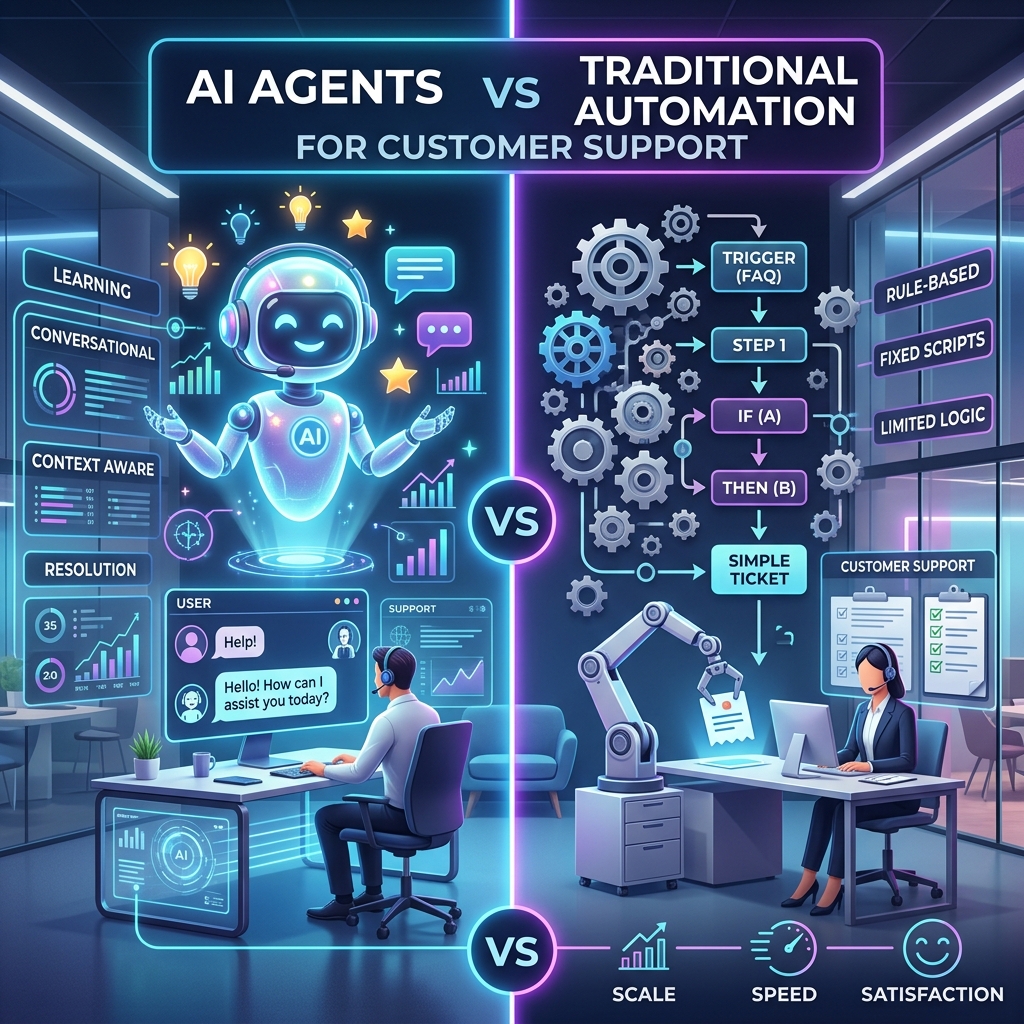
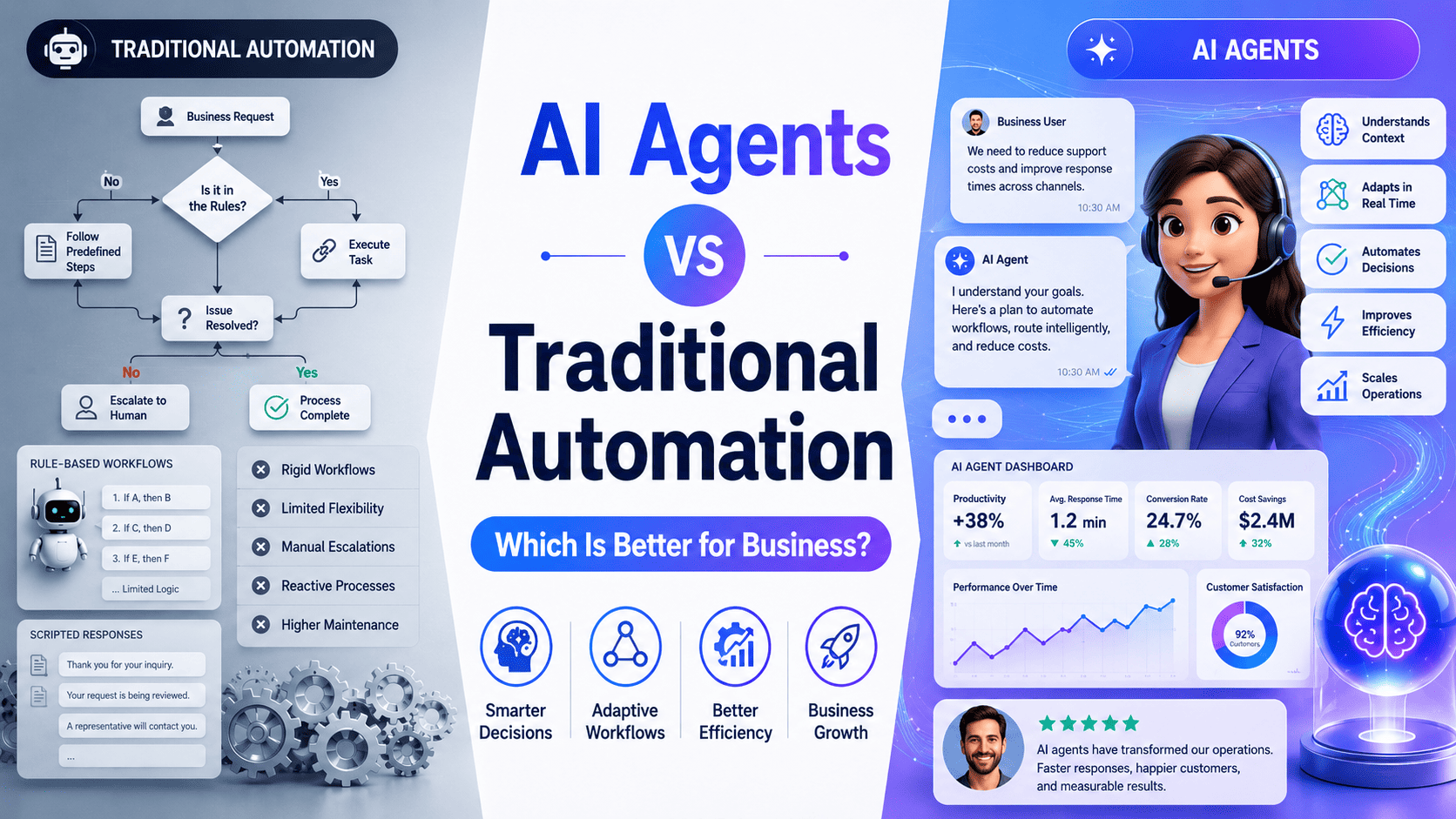
Businesses have used automation for years to reduce repetitive work, improve consistency, and connect systems. Traditional automation can move information between applications, trigger emails, update records, generate reports, and complete predictable tasks without human involvement.
AI agents expand what businesses can automate. Instead of following only predefined instructions, an AI agent can interpret information, evaluate context, choose an action, use connected tools, and adjust its approach when a workflow changes.
However, that does not mean every business process should be replaced with an AI agent.
The real question in the AI agents vs traditional automation debate is not which technology is universally better. It is which technology is better for a particular process, risk level, data type, and business objective.
For predictable processes with fixed rules, traditional automation is usually faster, less expensive, and easier to control. For workflows involving unstructured data, changing conditions, exceptions, or judgment, AI agents can provide considerably more value.
In many cases, the strongest solution combines both.
AI Agents vs Traditional Automation at a Glance
| Comparison area |
Traditional automation |
AI agents |
| Operating model |
Executes predefined rules |
Works toward a defined goal |
| Decision-making |
Uses fixed conditions |
Evaluates context before acting |
| Data requirements |
Best with structured data |
Can process structured and unstructured data |
| Workflow flexibility |
Limited |
High |
| Predictability |
Highly predictable |
Probabilistic and variable |
| Implementation cost |
Usually lower for simple processes |
Usually higher due to AI, integration, and governance |
| Maintenance |
Rules must be manually updated |
Requires evaluation, monitoring, prompts, and model management |
| Speed |
Fast for repetitive tasks |
May be slower because reasoning is involved |
| Best use |
Stable, high-volume processes |
Complex, variable, knowledge-intensive processes |
| Human oversight |
Usually needed for exceptions |
Needed for sensitive or high-impact decisions |
| Scalability |
Scales repeatable execution |
Scales decision support and knowledge work |
| Auditability |
Straightforward |
Requires detailed logging and governance |
The simplest distinction is this:
Traditional automation follows a path. An AI agent works toward an outcome.
Planning to build an AI agent for your business?
AI agent development services
What Is Traditional Automation?
Traditional automation uses predefined triggers, rules, conditions, and actions to complete a process.
A basic automation might follow this instruction:
When a website form is submitted, create a CRM contact and send a confirmation email.
Every step is known in advance. The same input generally produces the same output.
Traditional automation may include:
- Robotic process automation
- Workflow automation
- Business process automation
- Scheduled jobs
- API integrations
- Email sequences
- Database triggers
- Approval workflows
- Rule-based chatbots
- Data synchronization
- Scripts and macros
Traditional automation works best when a process is repeatable and its possible outcomes can be defined before the workflow runs.
Traditional automation example
Consider an online retailer that needs to send an order confirmation.
The workflow can be defined precisely:
- A customer completes payment.
- The order status changes to paid.
- Inventory is updated.
- A confirmation email is sent.
- The fulfillment team receives the order.
This process does not need reasoning. It needs speed, reliability, and consistent execution.
Adding an AI agent would introduce unnecessary cost and variability.
What Is an AI Agent?
An AI agent is a software system designed to pursue a goal by interpreting information, reasoning about possible actions, and using tools or business systems to complete work.
An AI agent may:
- Understand a user request
- Retrieve information from company data
- Break a goal into smaller tasks
- Decide which system or tool to use
- Call APIs
- Create or update records
- Generate a response
- Ask for missing information
- Escalate a case to a person
- Evaluate the result of its own actions
Unlike a simple chatbot, an AI agent does not only generate text. It can take controlled actions within a business workflow.
A custom agent might connect with:
- Customer relationship management platforms
- Enterprise resource planning software
- Help desk systems
- Email and messaging platforms
- Internal databases
- Payment platforms
- Scheduling software
- Document repositories
- Accounting systems
- External APIs
Businesses exploring these capabilities can work with an experienced AI agent development company to evaluate use cases, define guardrails, integrate systems, and build production-ready agents.
The Main Differences Between AI Agents and Traditional Automation
1. Rules vs goals
Traditional automation must be told exactly what to do.
An AI agent can be given a broader goal and determine how to reach it within defined limits.
A traditional workflow might receive the instruction:
Route support tickets containing “refund” to the billing team.
An AI agent might receive the objective:
Review the support request, determine the customer’s intent and urgency, resolve the issue when permitted, or route it to the most appropriate team.
The agent considers context instead of relying on one keyword.
2. Structured vs unstructured information
Traditional automation works extremely well with structured information such as:
- Form fields
- Database records
- Product numbers
- Transaction amounts
- Standardized spreadsheets
- Predefined dropdown values
It struggles when information arrives as free-form text, documents, screenshots, images, or conversations.
AI agents can interpret:
- Customer emails
- Support conversations
- Contracts
- Invoices in different formats
- Product reviews
- Meeting notes
- Knowledge-base articles
- Uploaded documents
This makes AI agents valuable when the process starts with information that cannot be handled reliably through fixed fields alone.
3. Predictability vs adaptability
Traditional automation is deterministic. Its behavior is defined by its rules.
AI agents are probabilistic. Their responses can vary based on the model, context, available information, instructions, and connected tools.
That adaptability is useful, but it must be controlled.
A business should not use unrestricted AI decision-making for every workflow. High-impact actions should include approval requirements, validation rules, confidence thresholds, and human review.
4. Task execution vs decision support
Traditional automation is generally strongest at execution.
AI agents can add interpretation and decision support before an action occurs.
For example, traditional automation can:
- Create an invoice
- Send a reminder
- Update an account
- Schedule a report
- Move a document
- Trigger an approval request
An AI agent can first determine:
- Whether the invoice appears correct
- Which reminder is appropriate
- Whether the account requires escalation
- What the report means
- How a document should be classified
- Whether an approval request contains unusual risk
5. Fixed workflows vs dynamic workflows
Every branch in traditional automation normally needs to be mapped.
When exceptions increase, the workflow can become difficult to maintain. Teams may end up with large decision trees containing overlapping conditions and fragile dependencies.
AI agents can manage more variation because they interpret each case within its context.
However, agents are not automatically maintenance-free. They still require:
- Prompt and instruction management
- Model evaluation
- Tool monitoring
- Knowledge-base updates
- Security controls
- Cost tracking
- Output testing
- Human feedback
- Failure analysis
The maintenance model changes, but it does not disappear.
When Traditional Automation Is Better
Traditional automation is generally the better choice when the process is stable, repetitive, high-volume, and rules-driven.
Use traditional automation when:
- Every step can be defined in advance
- Inputs follow a consistent structure
- The same conditions should always produce the same result
- Execution speed is more important than interpretation
- Errors could create significant financial or compliance risk
- The process contains few exceptions
- An audit must show the exact rule behind every action
- A simpler integration can achieve the desired result
Good traditional automation use cases
Data synchronization
Automatically transfer customer, order, inventory, or payment information between connected systems.
Scheduled reporting
Generate and distribute the same report daily, weekly, or monthly.
Transactional notifications
Send order confirmations, shipping updates, appointment reminders, and payment receipts.
User provisioning
Create accounts, assign permissions, and trigger onboarding steps when an employee or customer is added.
Invoice calculations
Calculate totals, taxes, discounts, and due dates using established rules.
Database backups
Run backups on a defined schedule and send an alert when a job fails.
Compliance checks with fixed criteria
Validate whether required fields or documents are present before allowing a process to continue.
Using AI for these workflows may increase complexity without improving the outcome.
When AI Agents Are Better
AI agents are more suitable when completing the process requires interpretation, context, planning, or flexible decision-making.
Use an AI agent when:
- Inputs frequently arrive as natural language or documents
- The appropriate action depends on context
- Exceptions are common
- A person currently reviews each case before deciding what to do
- Information must be gathered from multiple systems
- The workflow changes based on user responses
- Employees spend significant time searching company knowledge
- The process involves several tools and handoffs
- Personalization affects the result
- The business needs scalable support outside working hours
Good AI agent use cases
Customer service agents
An AI agent can understand a customer’s issue, retrieve account information, search the knowledge base, suggest a solution, perform approved actions, and escalate complex cases with a summary.
Sales qualification agents
A sales agent can respond to leads, understand their needs, collect qualifying information, update the CRM, recommend services, and schedule meetings.
Document processing agents
Agents can classify documents, extract important information, identify missing data, summarize content, and route documents for approval.
Internal knowledge agents
Employees can ask questions using natural language and receive answers grounded in approved policies, manuals, project documentation, and internal databases.
Operations agents
An operations agent can review incoming requests, gather data from different platforms, identify issues, recommend an action, and coordinate the next steps.
Travel and booking agents
Travel businesses can use agents to understand destinations, dates, preferences, budgets, and availability before recommending suitable options. See how a tour booking AI agent can automate inquiries and booking assistance.
Healthcare support agents
A healthcare support agent can assist with appointment preparation, administrative questions, patient navigation, document collection, and human escalation. Clinical decisions should remain behind strict professional and regulatory controls.
Financial service agents
Financial organizations can use agents for document collection, application support, case summaries, fraud review assistance, and customer service while retaining deterministic rules and human authorization for regulated decisions.
AI Agents vs RPA
Robotic process automation is a common form of traditional automation. RPA bots generally interact with software interfaces in the same way a person would, clicking buttons, copying information, and completing predefined steps.
RPA works well for stable processes involving older systems that may not offer modern APIs.
AI agents and RPA are not necessarily competitors.
An AI agent can interpret the situation and select an action, while an RPA bot performs the repetitive system interaction.
For example:
- An AI agent reads an incoming vendor invoice.
- It identifies the vendor, amount, category, and possible anomalies.
- It determines whether the invoice requires review.
- An RPA bot enters approved information into a legacy accounting system.
- Traditional automation sends the confirmation and updates the audit log.
- A finance employee reviews low-confidence or high-value transactions.
This hybrid design uses each technology where it is strongest.
Why a Hybrid Approach Is Often Better
Most businesses should not choose one technology for every process.
A hybrid architecture can combine:
- AI agents for understanding and reasoning
- Traditional automation for predictable execution
- APIs for system communication
- Business rules for non-negotiable controls
- Humans for approval and exceptional cases
Hybrid customer support example
A customer submits a message asking why a subscription was charged after cancellation.
The workflow could operate as follows:
- An AI agent identifies the customer and understands the issue.
- An API retrieves the account, cancellation, and payment history.
- A fixed rule checks whether the refund falls within the approved policy.
- If eligible, traditional automation initiates the refund.
- If the amount exceeds a threshold, the case goes to a human.
- The AI agent generates a clear response using verified transaction data.
- The complete interaction is stored in an audit log.
The agent handles understanding and communication. Deterministic rules control the financial action.
This is safer than giving a model unrestricted authority and more flexible than using rules alone.
Cost Comparison
The total cost of a solution includes more than its initial development price.
Traditional automation costs
Traditional automation may include:
- Workflow design
- API or RPA development
- Integration fees
- Platform subscriptions
- Rule maintenance
- Testing after system updates
- Exception handling
- Monitoring
Simple workflows are usually inexpensive to build and operate. Costs can rise when processes contain hundreds of conditions or depend on frequently changing interfaces.
AI agent costs
An AI agent may require:
- Workflow and use-case discovery
- AI architecture
- Model and provider selection
- Prompt development
- Retrieval-augmented generation
- Vector or search infrastructure
- API integrations
- Authentication and permissions
- Model usage fees
- Evaluation datasets
- Guardrails
- Monitoring and observability
- Human review workflows
- Security testing
- Continuous optimization
AI agents should therefore be used where adaptability or decision support creates enough business value to justify the additional complexity.
How to evaluate ROI
Measure the current process before building anything.
Useful baseline metrics include:
- Average handling time
- Cost per transaction or case
- Number of manual handoffs
- Error rate
- Rework rate
- Response time
- Resolution time
- Conversion rate
- Abandonment rate
- Number of cases per employee
- Percentage of exceptions
- Customer satisfaction
- Revenue lost through delayed responses
After implementation, compare the same measurements.
An agent is not successful because it produces impressive conversations. It is successful when it improves a measurable business outcome.
Unsure whether your workflow needs rules, AI, or both?
Discuss your process with Coder Scotch
Risks and Limitations of AI Agents
AI agents can handle more complex work, but they also introduce risks that traditional automation may not have.
Incorrect or unsupported outputs
An AI model may generate an answer that sounds convincing but is not supported by company data.
Use retrieval from approved sources, validation rules, citations, confidence thresholds, and human escalation.
Excessive autonomy
An agent should not automatically receive permission to issue payments, delete records, approve claims, alter pricing, or send sensitive communications.
Start with read-only or recommendation-only access. Expand permissions after the system demonstrates reliable performance.
Prompt injection and malicious inputs
Documents, websites, emails, or user messages may contain instructions intended to manipulate the agent.
Treat external content as untrusted data and separate it from system-level instructions.
Data privacy
Agents may access customer records, financial data, healthcare information, contracts, or internal documentation.
Implement role-based access, encryption, data minimization, retention controls, and detailed audit logs.
Model and vendor dependency
Model behavior, pricing, context limits, and availability can change.
Use an architecture that allows model evaluation and replacement rather than making the entire workflow dependent on one provider.
Unpredictable operating costs
Agent costs can increase when conversations become longer, tools are called repeatedly, or workflows enter inefficient loops.
Set token limits, action limits, timeouts, budgets, caching, and fallback rules.
Limited explainability
An agent may not always provide a fully reliable explanation of its reasoning.
For high-impact decisions, use AI to recommend or summarize while deterministic policies and authorized people make the final decision.
A Practical Decision Framework
Evaluate each business process separately.
Choose traditional automation when most answers are yes
- Is the process repetitive?
- Are inputs structured?
- Are all decision rules known?
- Are exceptions uncommon?
- Must the output always be identical?
- Is execution speed critical?
- Would an API or workflow tool solve the problem?
- Is complete rule-level auditability required?
Choose an AI agent when most answers are yes
- Does the process require understanding natural language?
- Does it involve documents or mixed data formats?
- Does the correct action depend on context?
- Are exceptions common?
- Does a person currently make judgment calls?
- Must the workflow search several information sources?
- Does the process require a conversation?
- Would personalization improve the outcome?
Choose a hybrid solution when:
- AI must interpret information, but rules should control the final action
- The workflow includes both predictable and unpredictable stages
- Sensitive decisions require human approval
- Legacy systems require RPA
- The business wants AI flexibility without losing operational control
- Different workflow steps have different risk levels
Find the right automation approach before you invest
Book an AI Consultation
AI Automation Readiness Score
Score each statement from 0 to 2.
- 0 means no
- 1 means sometimes
- 2 means frequently
| Question |
Score |
| The process receives unstructured information |
0–2 |
| The correct action depends on context |
0–2 |
| Exceptions occur regularly |
0–2 |
| Employees must search several systems |
0–2 |
| A judgment call is required |
0–2 |
| The workflow changes frequently |
0–2 |
| Users expect a conversational experience |
0–2 |
| Personalization improves the outcome |
0–2 |
Interpreting the score
0–4: Traditional automation is probably sufficient
Begin with APIs, workflow tools, scripts, or RPA.
5–10: Consider intelligent or hybrid automation
Use AI for specific interpretation tasks while keeping execution rule-based.
11–16: The process may be a strong AI agent candidate
Proceed with detailed discovery, risk assessment, and a controlled pilot.
This score is only an initial filter. Data sensitivity, compliance, transaction value, and the consequences of an incorrect action must also be considered.
How to Implement the Right Solution
Step 1: Select one measurable process
Avoid beginning with a broad goal such as “implement AI across the company.”
Choose one process with:
- Clear business ownership
- Sufficient transaction volume
- Known pain points
- Accessible data
- Measurable outcomes
- Manageable risk
Step 2: Map the current workflow
Document:
- Inputs
- Systems
- Decision points
- Rules
- Exceptions
- Human handoffs
- Outputs
- Failure cases
- Current performance
This shows which steps require reasoning and which need only deterministic execution.
Step 3: Use the simplest suitable technology
Do not deploy an agent where a basic API integration can solve the problem.
A useful order of consideration is:
- Remove unnecessary process steps
- Improve the existing system
- Add traditional automation
- Add AI to a specific step
- Introduce an agent when goal-driven coordination is necessary
Step 4: Define the agent’s authority
Establish what the agent can:
- Read
- Recommend
- Create
- Update
- Send
- Approve
- Delete
- Escalate
Permissions should match the risk of the workflow.
Step 5: Build evaluation scenarios
Test routine requests and difficult cases, including:
- Missing information
- Conflicting data
- Unusual phrasing
- Unsupported requests
- System outages
- Permission failures
- Malicious instructions
- High-value transactions
- Policy exceptions
Step 6: Launch with human oversight
Begin with a limited user group, workflow, or transaction volume.
Allow employees to review outputs and report failures before expanding autonomy.
Step 7: Measure business outcomes
Monitor quality and business performance rather than only technical availability.
Track accuracy, cost, resolution time, escalation rate, customer satisfaction, adoption, and ROI.
Businesses that need help identifying viable use cases can begin with AI consulting services before committing to a full implementation.
Which Is Better for Your Business?
Traditional automation is better when the work is predictable, repetitive, and governed by fixed rules.
AI agents are better when work requires context, interpretation, flexible decisions, or coordination across several systems.
A hybrid approach is better when AI can improve understanding while rules and human approvals retain control over important actions.
The right choice is therefore not based on which technology is newer.
It depends on:
- Process complexity
- Data type
- Exception frequency
- Required accuracy
- Risk level
- Integration environment
- Budget
- Expected return
- Need for human oversight
Businesses should automate deterministic work deterministically and use AI where intelligence adds measurable value.
Build an AI Agent or Automation System with Coder Scotch
Coder Scotch helps startups and established businesses analyze workflows, identify high-value automation opportunities, and build secure, scalable AI solutions.
Our AI agent development services can support:
- Customer support agents
- Sales and lead qualification agents
- Internal knowledge assistants
- Document-processing agents
- Workflow orchestration
- AI-powered SaaS products
- CRM and ERP integrations
- Retrieval-augmented generation
- Human approval workflows
- Multi-agent systems
- Monitoring and optimization
We can also combine AI agents with traditional workflows, business rules, APIs, and existing enterprise software to create a solution that is practical rather than unnecessarily complex.
Have a workflow you want to automate?
Evaluate whether your business should use traditional automation, an AI agent, or a controlled hybrid solution.
Contact Coder Scotch
Frequently Asked Questions
What is the difference between AI agents and traditional automation?
Traditional automation follows predefined triggers, conditions, and actions. AI agents interpret context, make limited decisions, use connected tools, and work toward a defined goal.
Are AI agents better than traditional automation?
AI agents are better for variable, knowledge-intensive, or conversational workflows. Traditional automation is better for stable, repetitive processes where speed, predictability, and low operating cost are priorities.
Will AI agents replace traditional automation?
AI agents are unlikely to replace all traditional automation. Businesses will continue using deterministic workflows for predictable tasks while adding agents where interpretation and adaptability are valuable.
What is the difference between AI agents and RPA?
RPA bots execute predefined actions, often through a software interface. AI agents can interpret information, select actions, and adapt to context. They can also direct an RPA bot when a legacy system does not provide an API.
Can AI agents and traditional automation work together?
Yes. An AI agent can understand a request and select the appropriate action, while traditional automation executes approved steps reliably. This hybrid model is often the safest and most cost-effective approach.
Are AI agents expensive to build?
Costs depend on workflow complexity, data quality, integrations, security, model usage, evaluation requirements, and autonomy. A focused agent for one process costs less than an enterprise agent operating across multiple systems.
What types of businesses can use AI agents?
AI agents can support SaaS, healthcare, financial services, retail, logistics, real estate, travel, education, manufacturing, and professional service companies. Suitability depends more on the workflow than the industry.
How should a business begin implementing AI agents?
Start with one measurable, relatively low-risk process. Map the workflow, define permissions, prepare evaluation scenarios, build a controlled pilot, retain human oversight, and measure business outcomes before scaling.